
Packaging
1. Clone Specific Branch
Clone the simplify branch of LuaHook to your local machine:
git clone -b simplify https://github.com/KuLiPai/LuaHook.git2. Open Project and Locate File
Open the project with Android Studio or another IDE.
Wait for dependencies to load.
Find the app/src/main/java/com/kulipai/luahook/LuaCode.kt file.
3. Write Lua Code
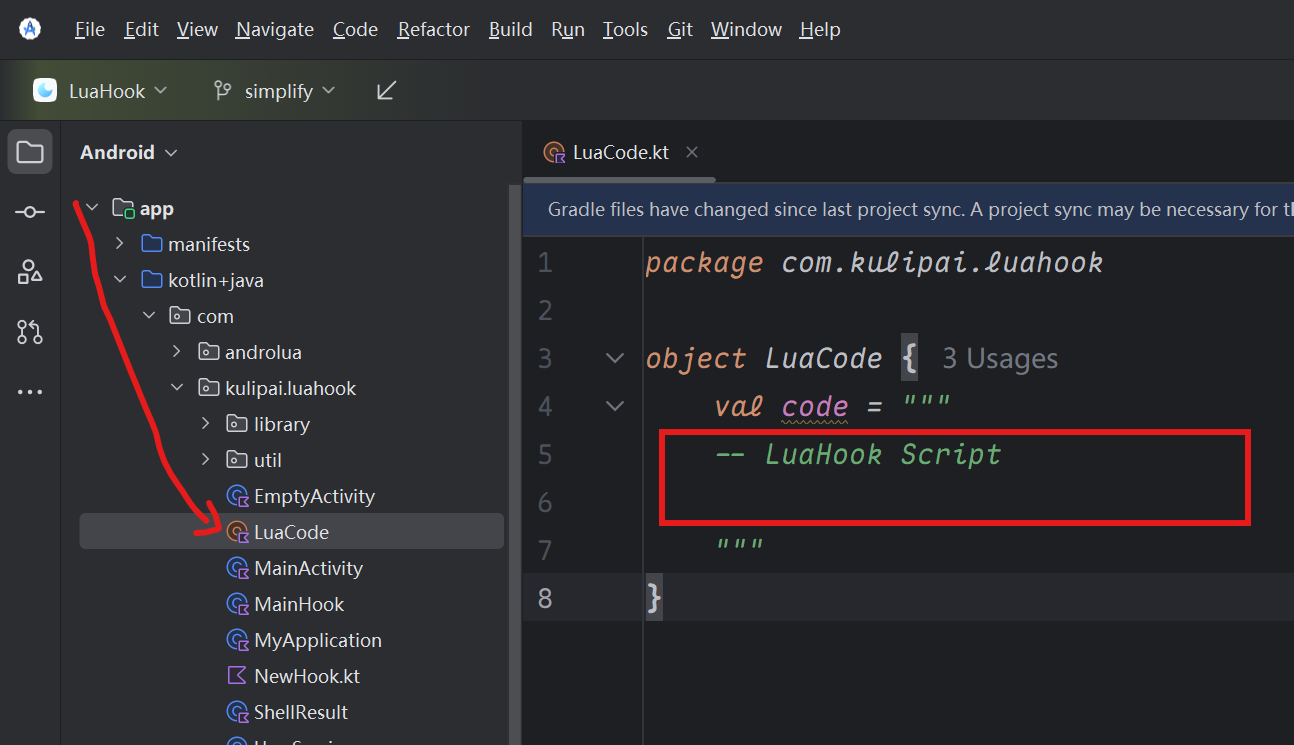
Write your Lua code in the red box shown in the image above, and save it.
4. Modify App Information
In app/build.gradle.kts, modify the following content:
applicationId: Package name
versionCode: Version code
versionName: Version name
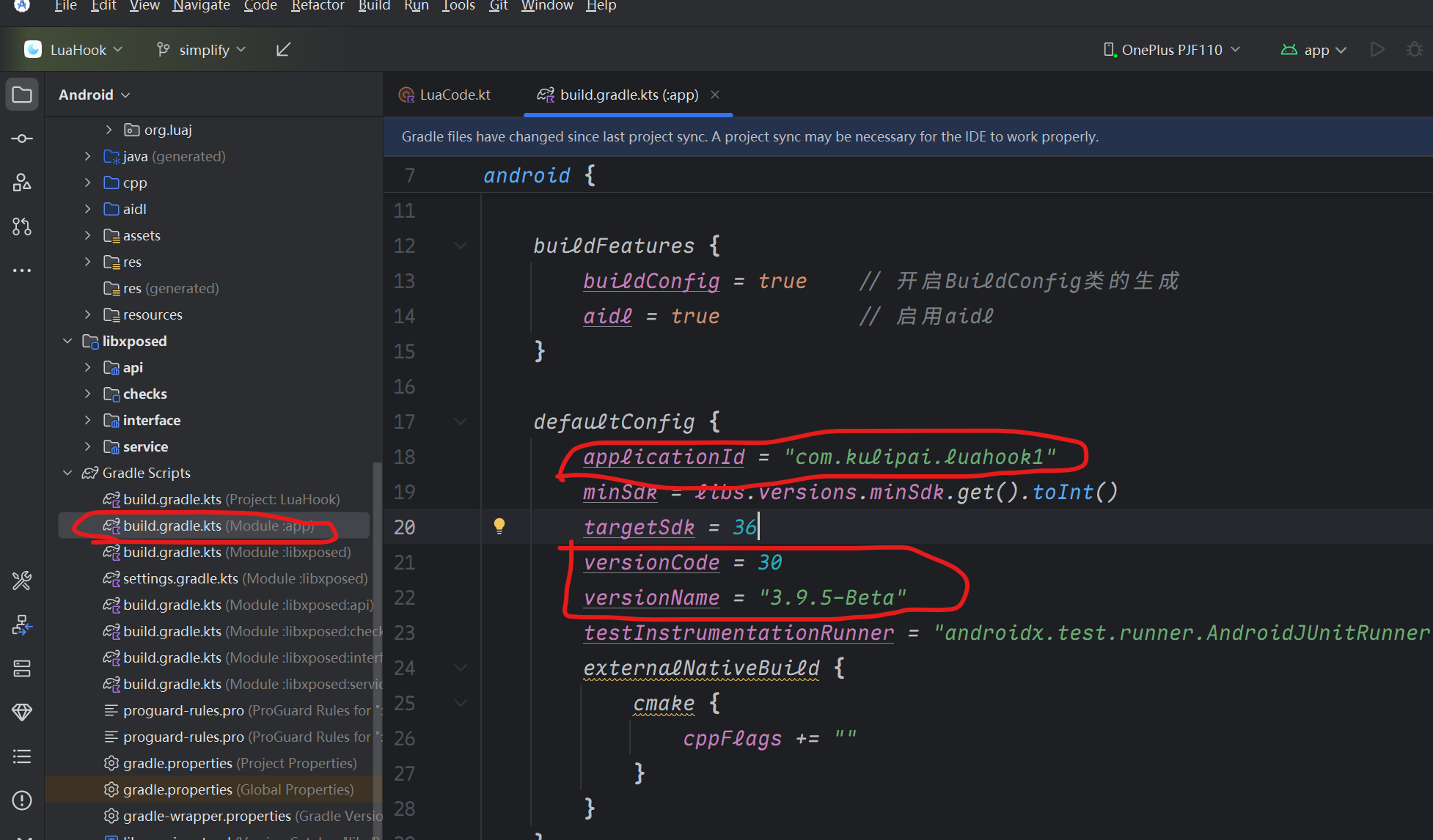
Please do not modify
namespace = "com.kulipai.luahook"as it will cause the hook to fail.
If your Lua code uses the Host Resource Injection Extension, to prevent resource ID conflicts, you need to modify the resource ID. (Around lines 54-56 in app/build.gradle.kts)

Note
The provided example resource ID values are for reference only. Do not use 0x7f. The default is 0x64. To prevent conflicts if multiple Xposed modules exist in the current host, it is recommended to customize your own resource ID.
Modify App Name and Icon
Modify in app\src\main\AndroidManifest.xml:
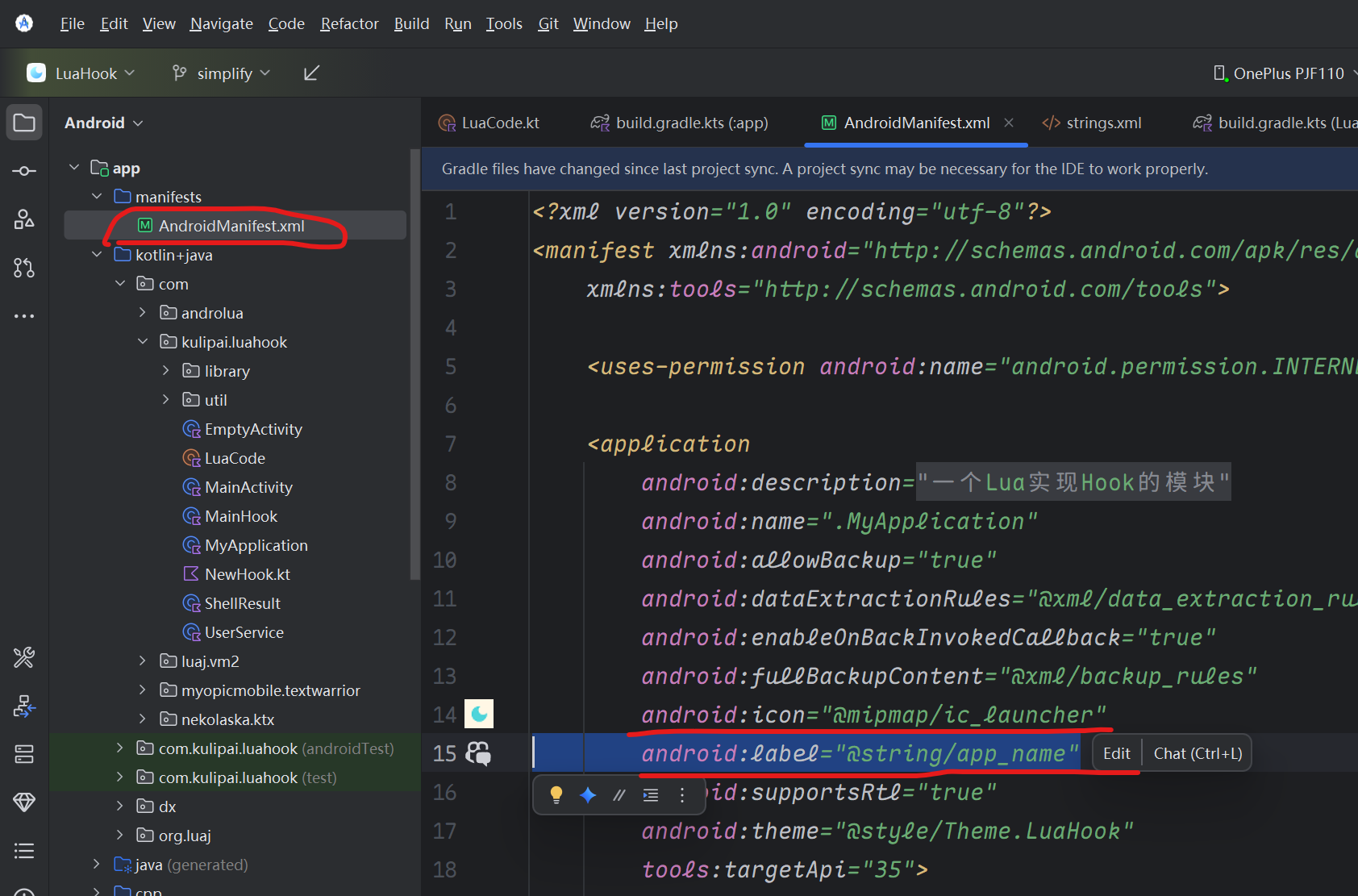
You can directly change @string/app_name to your app name string.
5. Compile and Package
Use Gradle or the IDE's compilation function to build the program and generate the final APK installation package.
In Android Studio, click here as shown:
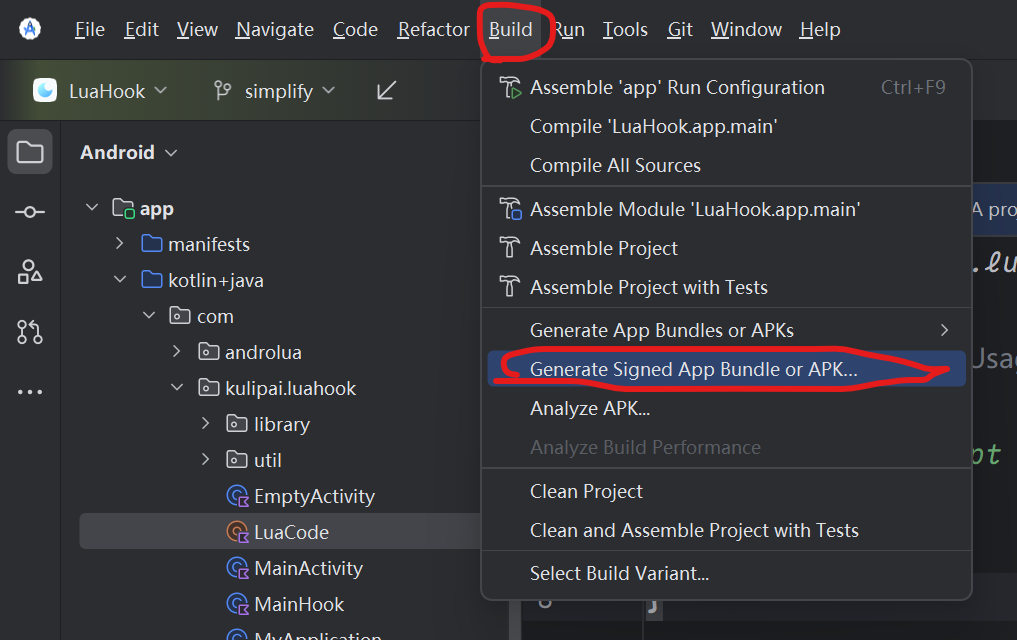
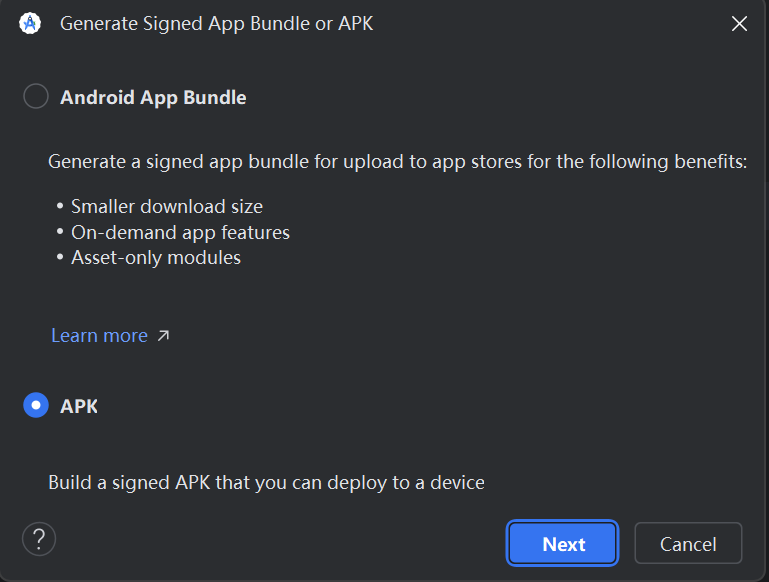
Then load or create your signing key.
Finally, select release to compile.
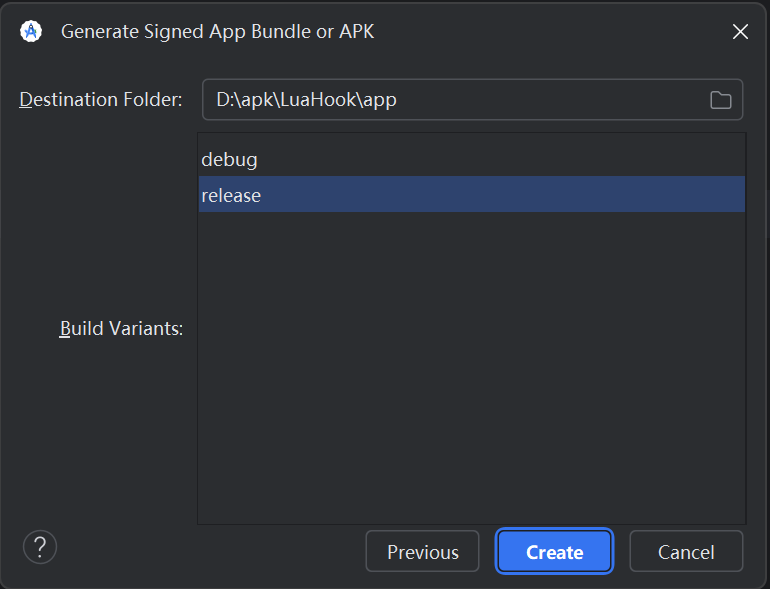
The generated APK will be in app\release\app-release.apk.
(Initial compilation may take a long time, please be patient. If it fails, try recompiling. If you still have problems, contact the author.)